
Enrichment Subscriber enables your Logpoint SaaS to access your on-premise Logpoint’s Enrichment Sources. Currently, CSV, LDAP, and ODBC enrichment source types are supported.
Go to Settings >> Configuration from the navigation bar and click Enrichment Subscriber.
On the page, you will see the list of all the available enrichment sources. You can use Cloud Connector to forward the enrichment sources to Logpoint SaaS.
Click the Subscribe ( ) icon under Actions of the enrichment source.
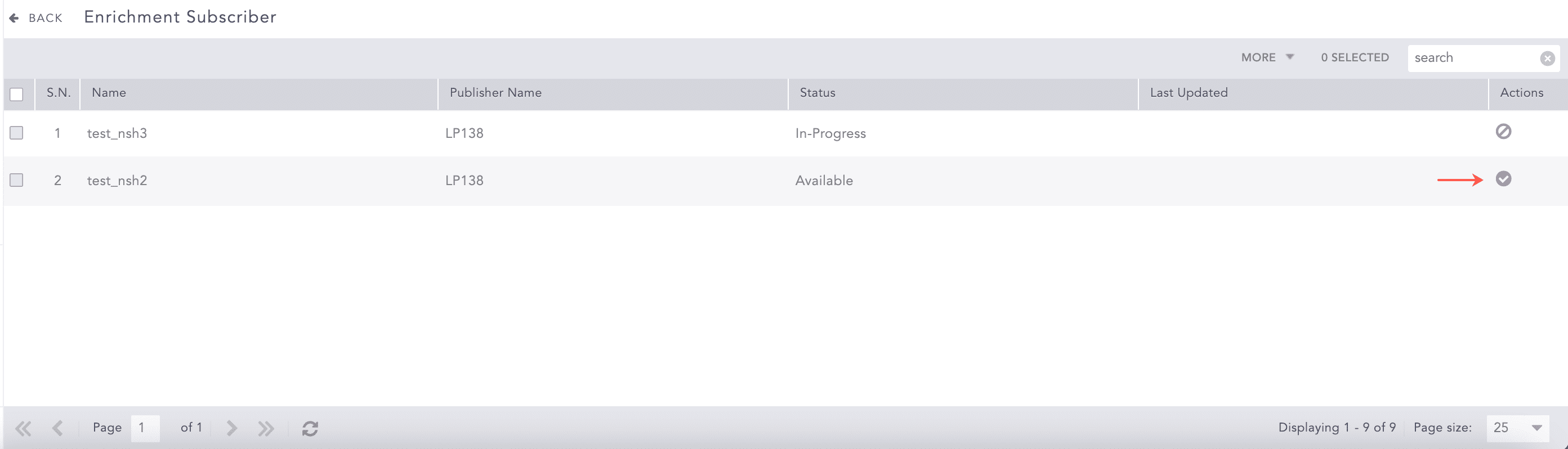
Subscribe Enrichment Sources
The enrichment source is now forwarded to Logpoint SaaS. You can select and forward all of them at once by clicking the More dropdown and selecting Subscribe All. To forward only the selected enrichment sources, click the More dropdown and select Subscribe Selected.
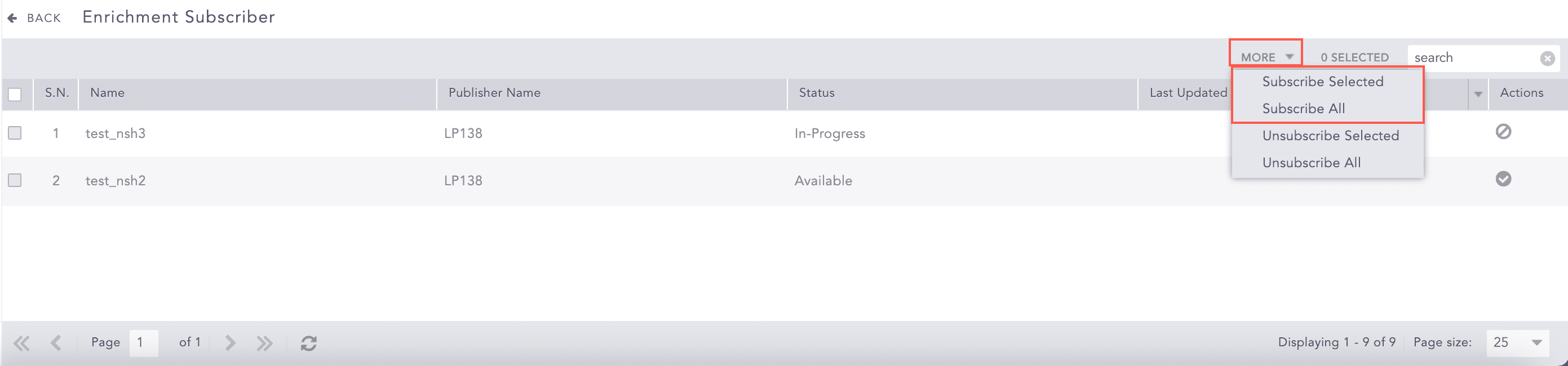
More Dropdown
You can see the state of the enrichment source from Status.
Available: The enrichment source is ready to be forwarded to Logpoint SaaS.
In-Progress: Enrichment Subscriber is working on your request to forward or remove the enrichment source.
Subscribed: The enrichment source is forwarded to Logpoint SaaS.
Duplicate: The enrichment source with the same name is already forwarded to Logpoint SaaS.
Failed: The enrichment source forwarding has failed.
Deleted: The enrichment source is subscribed but not available on the Logpoint SaaS.
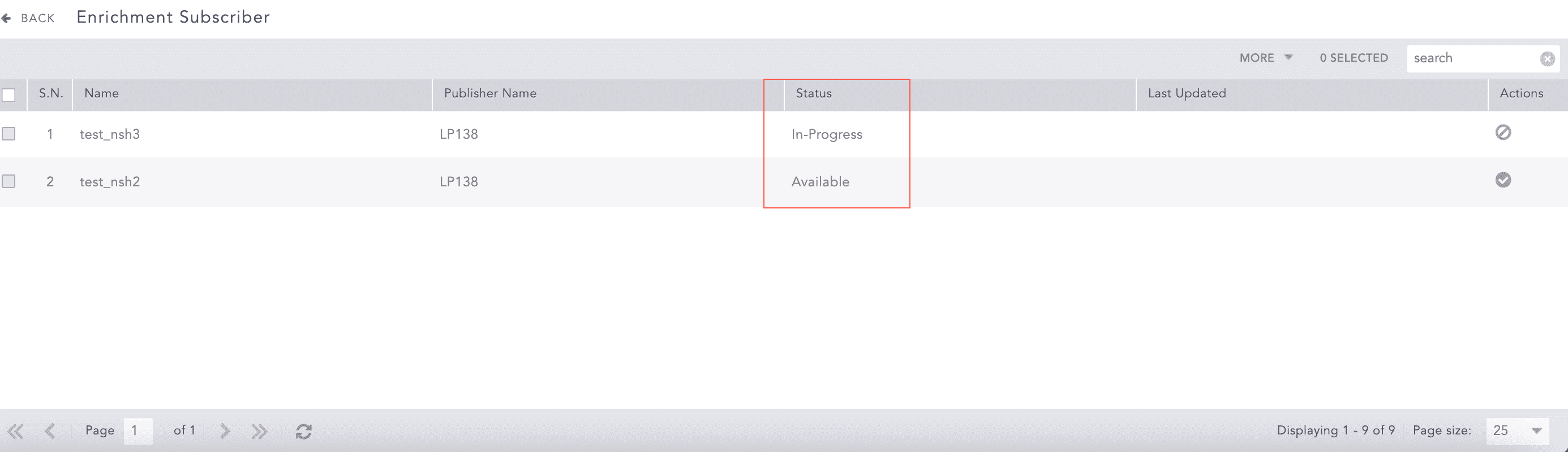
Status
Go to Settings >> Configuration from the navigation bar and click Enrichment Subscriber.
Click the Unsubscribe ( ) icon under Actions of the enrichment source.
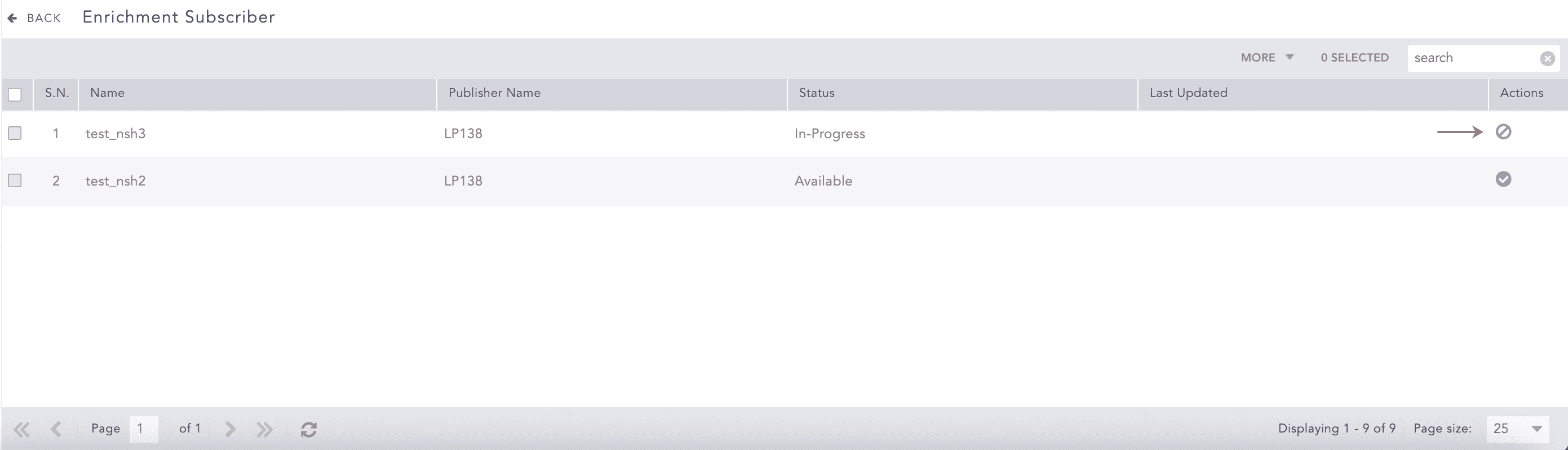
Subscribe Enrichment Sources
The enrichment source is now removed from Logpoint SaaS. You can also select all the enrichment sources and remove them at once by clicking the More dropdown and selecting Unsubscribe All. To remove only the selected enrichment sources, click the More dropdown and select Unsubscribe Selected.
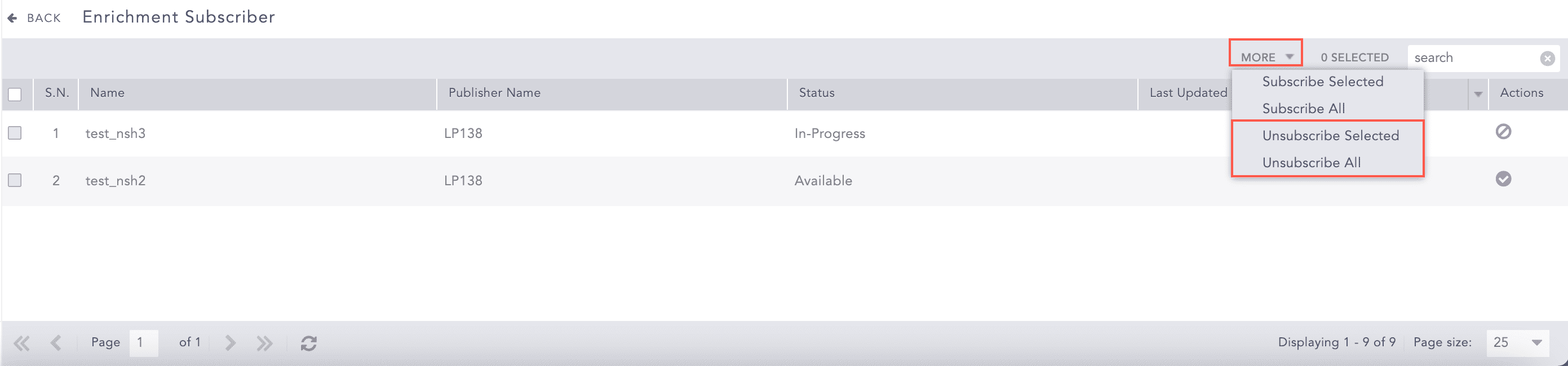
More Dropdown